Online STL Viewer
Free, Fast & Secure 3D STL Model Viewer in Your Browser
📂
Drag and drop 3D models here
or
3D Model Viewing Example
🚀 Launch Demo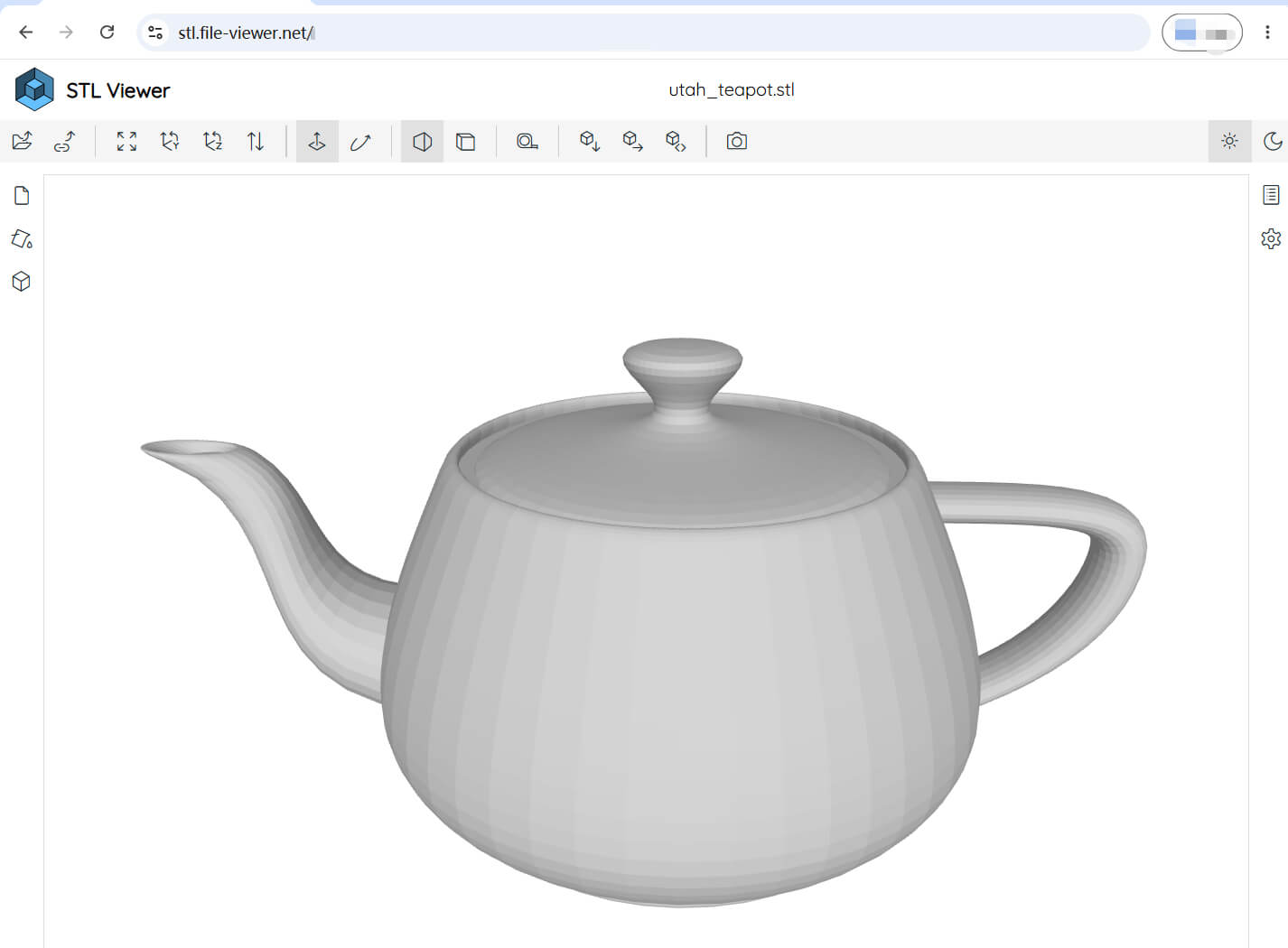
How to View STL Files Online
1
Upload or Drag & Drop
Drag your .stl file anywhere onto the canvas, or select files via the Open button.
2
Interactive Inspection
Rotate 360°, pan, zoom, inspect mesh polygons, wireframe outlines, and measure dimensions.
3
Customize & Export
Adjust background color, edge crease angles, surface shading tones, or convert and export formats.
Rich Interactive & Viewport Control Capabilities
Online STL Viewer delivers a complete, professional suite of interactive 3D tools directly in your browser. Effortlessly control camera angles, slice geometries, measure dimensions, and customize visual appearances:
🕹️ Camera Navigation & View Presets
Full 360° Orbit rotation, smooth panning, and stepless zoom. Snap instantly to Front, Back, Top, Bottom, Left, Right, or Isometric views, or click Auto-Fit to center the model.
✂️ Multi-Axis Clipping Planes
Slice through your 3D models interactively along the X, Y, and Z axes to inspect internal cavities, wall thicknesses, and hidden structural details.
📐 3D Measuring & Geometry Analysis
Measure exact distances between vertices, calculate 3D bounding box dimensions (X, Y, Z), surface area, volume, and triangle polygon counts.
🕸️ Wireframe & Edge Thresholds
Overlay polygon wireframes, customize edge outline colors, adjust feature crease angle thresholds, and inspect face orientations and normals.
💥 Model Explosion & Component View
Smoothly explode multi-body mesh assemblies using interactive sliders to analyze internal component placement and part relationships.
🎨 Custom Shading, Lighting & Dark Mode
Customize viewport background colors, apply custom surface fill tones, adjust ambient lighting & directional shadows, or switch between Light and Dark themes.
Key Highlights of STL Viewer
⚡ 100% Client-Side Privacy
All 3D mesh parsing and WebGL rendering take place locally in your browser memory. Your 3D models are never uploaded to any remote server.
📤 Export & Format Conversion
Easily convert and export your loaded STL 3D models into other popular 3D formats (such as OBJ, PLY, OFF) or save modified mesh geometries.
🔗 Direct Share & HTML Embedding
Generate direct shareable URLs for remote models or create clean HTML <iframe> embed codes to display 3D models on your own site.
💻 Cross-Platform & OS Compatibility
Fully supported across all major operating systems including Windows, macOS, Linux, ChromeOS, Android, iOS, and iPadOS via WebGL-enabled modern browsers.
📂 Drag & Drop & Archive Support
Seamlessly drag and drop single .stl files, entire folders, or compressed .zip archives directly into the viewer window.
📱 Mobile-Friendly & Touch Gestures
Optimized for touchscreens on iPhone, iPad, and Android phones & tablets. Seamlessly open 3D .stl files with intuitive single-finger orbit rotation and pinch-to-zoom touch gestures in Mobile Safari, Chrome, and Firefox without installing any App.